What Is a Dieline? A Complete Guide to Packaging Dielines and How to Make One
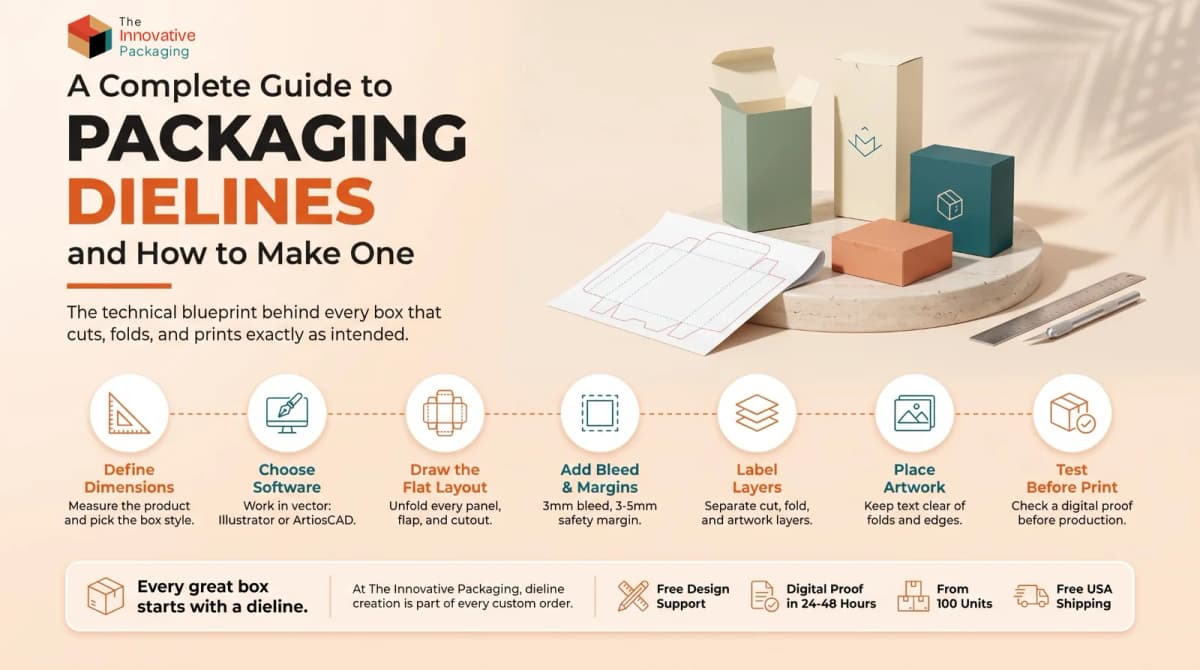
What is a dieline? A dieline (also written die line) is the flat plan of a box. It shows exactly where the box will be cut, folded, glued, and printed. Every custom box starts with one, and a good dieline is what makes the finished box fold cleanly and print without white edges.
Below, we explain what a dieline in packaging includes, how it differs from a template, and how to make a dieline step by step. If you would rather not make one yourself, that is fine too: we build the dieline for every custom packaging order.
What Is a Dieline in Packaging and Printing?
A dieline is a flat, two-dimensional drawing of a package before it is folded. Think of it as the floor plan for your box. The designer places artwork on it panel by panel, and the factory uses the same drawing to make the cutting die, a set of steel blades that cut and crease the board.
A proper box dieline marks:
- where the box is cut out
- where the board is creased and folded
- the bleed and safety margins, so the print reaches the edges and nothing important gets trimmed
- where the glue goes
- which artwork belongs on which panel
Skip the dieline and you are guessing. That usually ends in a reprint.
What Does a Dieline Include?
Every packaging dieline uses the same basic parts. Here is what each one means.
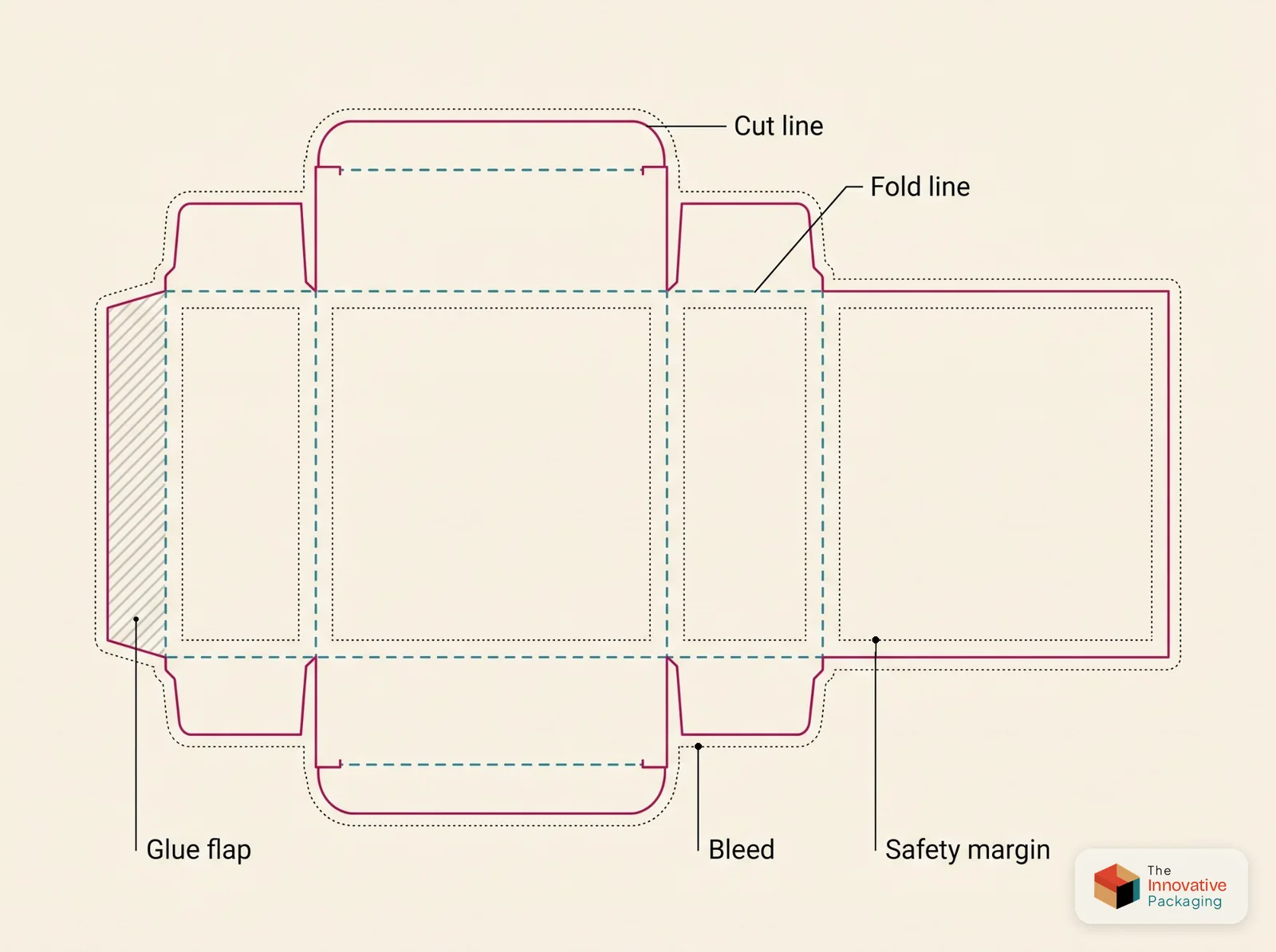
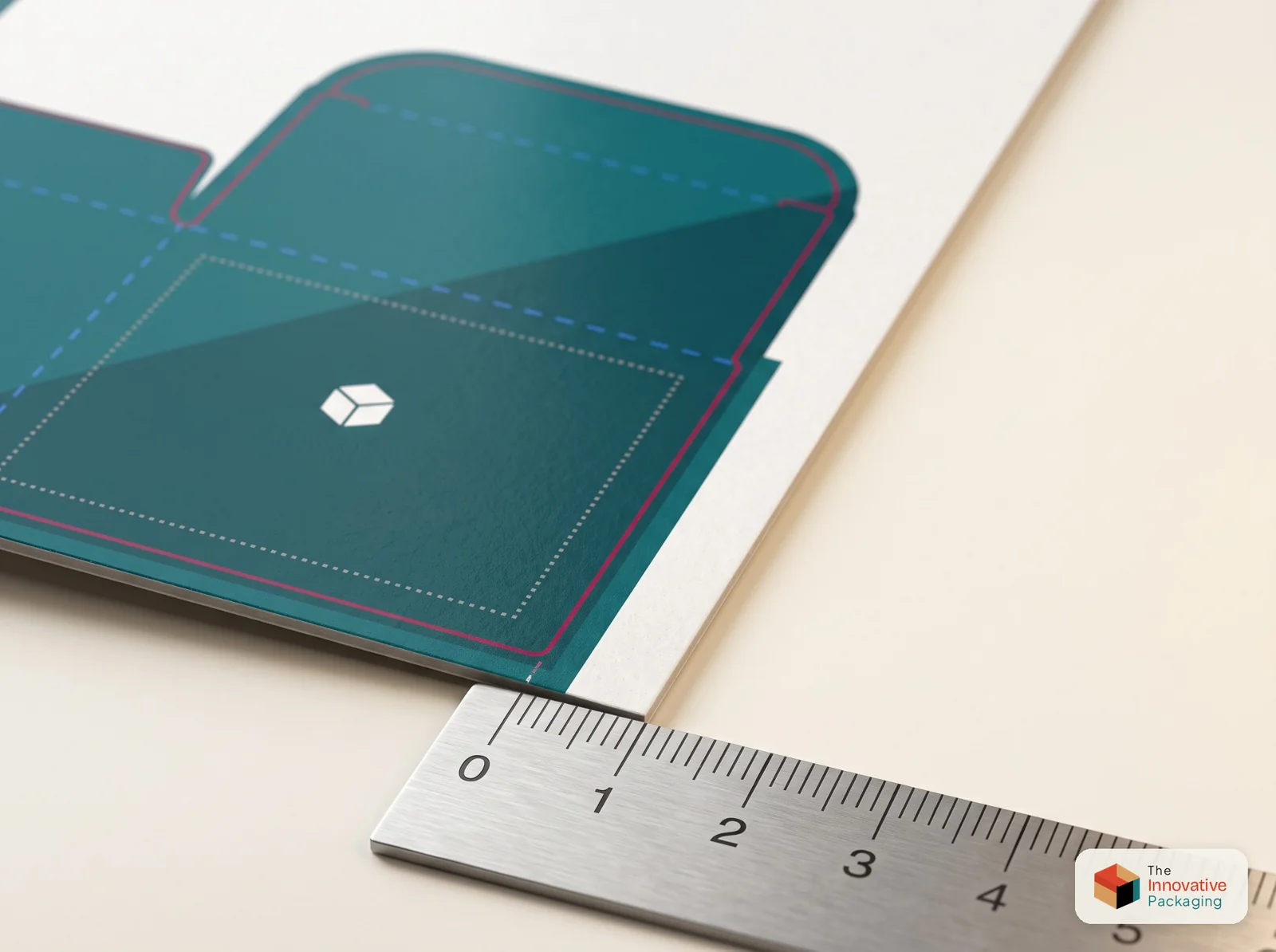
Cut lines (trim lines): The outer edge of the finished box. The die-cutting machine follows these lines exactly, so a small error here affects the whole box.
Bleed: Artwork that runs 3mm (0.125") past the cut line. It stops thin white edges from showing after the box is cut.
Safety margin (live area): The inner zone where logos, text, and barcodes must sit. Anything outside it could be trimmed off or hidden in a fold. This matters most on cosmetic boxes and CBD boxes, where ingredient lists and warning text have to stay readable.
Fold lines (crease lines): Lines pressed into the board so it bends cleanly. Accurate fold lines give a finished custom box its sharp edges.
Glue flaps: The strips where glue goes during assembly. Keep artwork off these areas.
Perforation lines (optional): Used on retail and mailer packaging for tear strips and easy-open features.
Dieline vs Template vs Die Cut
People use these words as if they mean the same thing. They don't.
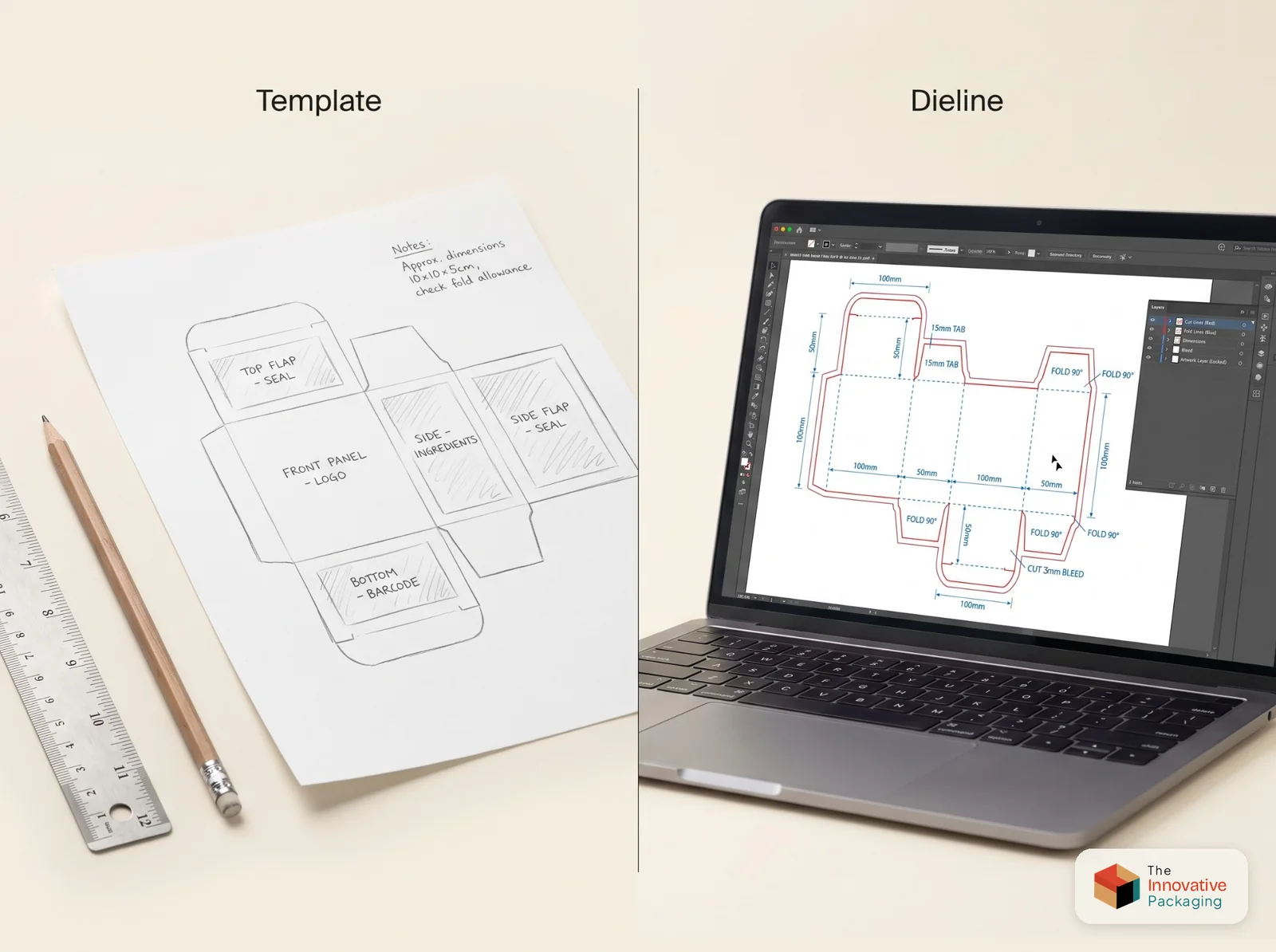
A dieline is the exact technical drawing used in production. It is built to your box size, with each line type on its own layer.
A dieline template is a ready-made starting file for a standard box style. You change the sizes to fit your product, and once the sizes are right it becomes your dieline.
Die cutting is the factory process. A steel die is made from your dieline, and it cuts and creases every sheet the same way.
How to Make a Dieline for Packaging
Making a dieline takes careful measuring and a basic idea of how boxes are built. Here is the full process.
Step 1: Set the box style and size
Start with three things:
- Product size: length, width, and height, plus a little room for wrapping or inserts
- Box style: tuck end, sleeve, rigid, mailer, display, and more
- Material: paperboard thickness, corrugated flute, or rigid board
Build the dieline around the exact size of the product. A 2mm mistake gets repeated on every box in the run. If you are still choosing a board, our materials and printing guide compares the options. Kraft board is a popular pick for eco-friendly boxes. If you switch boards, update the dieline for the new thickness.
Step 2: Use vector software
Professional dielines are drawn in vector software. Adobe Illustrator is the most common choice. ArtiosCAD is built for structural packaging design, and Esko Studio is used to preview the folded box and prepare files for print.
To make a dieline in Illustrator, set up the document at the real box size, draw each panel to exact measurements, and give the dieline lines their own spot color so the printer can turn them off. Set that spot color to overprint so it never knocks out your artwork.
Save the file as .ai or .eps, or export a PDF/X-4. Avoid Photoshop. Pixels blur when you scale them and cannot match the precision die cutting needs.
Step 3: Draw the flat layout
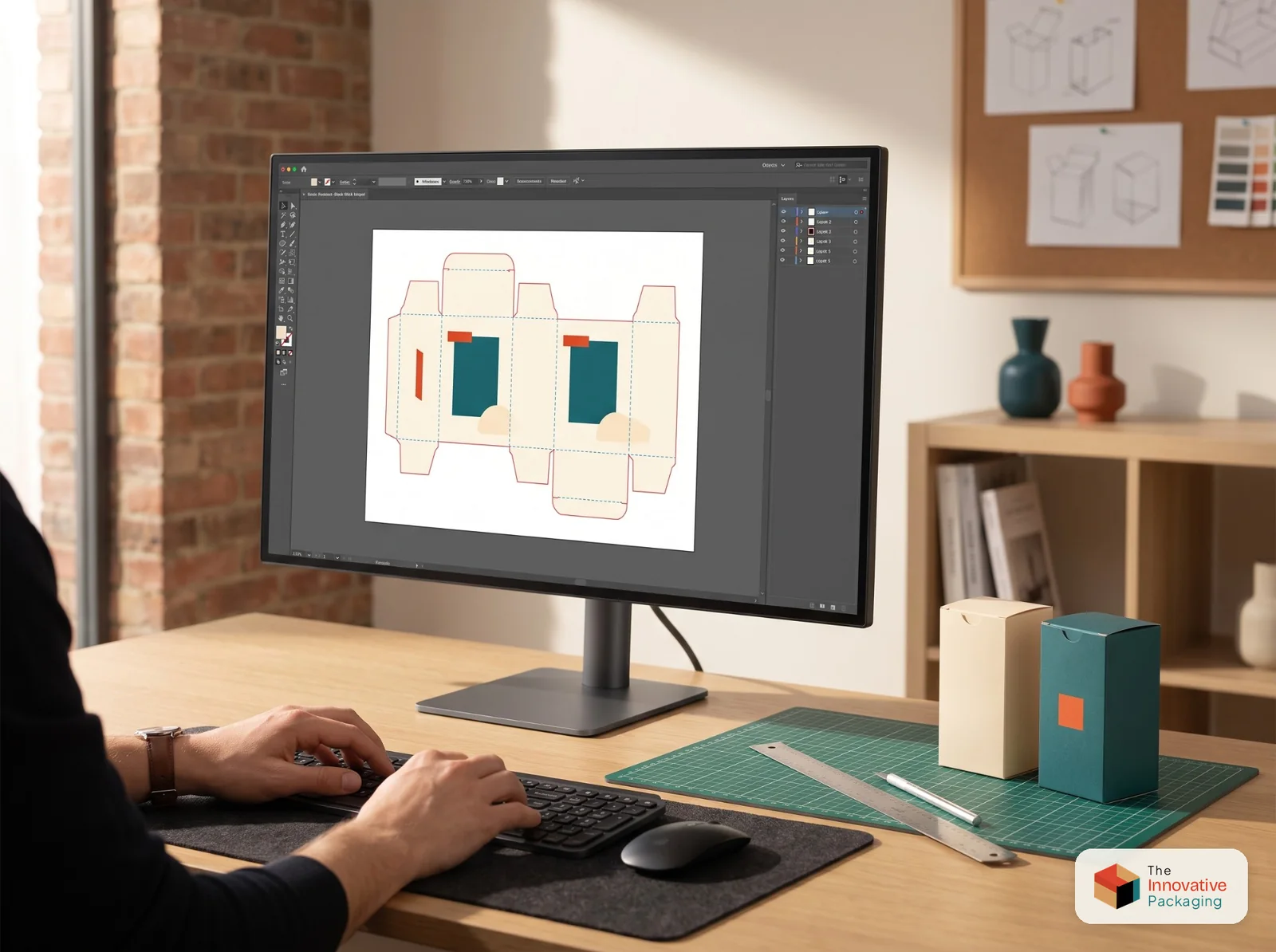
Picture the box unfolded and draw every part flat:
- Front, back, side, top, and bottom panels
- Glue flaps, tuck flaps, and dust flaps
- Any window cutouts or special die-cut shapes
Window cutouts are common on food boxes, such as bakery and window cupcake boxes. Draw each window as a closed cut line inside its panel. Keep every measurement exact. Everything else is built on this drawing.
Step 4: Add bleed and safety margins
Extend all background artwork 3mm (0.125") past the cut line. That extra strip is the bleed. Then keep text and logos at least 3 to 5mm inside the cut and fold lines. That inner zone is the safety margin.
Both exist for the same reason: cutting machines shift slightly as they run. Without bleed you get white paper edges, and without a safety margin text can be cut off or lost in a fold.
Step 5: Put each line type on its own layer
Organize your dieline file with named layers, for example:
Dieline_Cut(solid red or magenta line, 0.25pt)Dieline_Fold(dashed blue or green line)Dieline_Perf(dash-dot line, if needed)Art_MainText_Legal
Clear layer names speed up pre-press checks and prevent mix-ups at the print stage. Many manufacturers ask for layers set up this way, so check your printer's file guide for their naming rules.
If your box has foil, embossing, or spot UV, give each finish its own layer too. Still choosing a finish? Our guide to matte vs gloss lamination explains the difference.
Step 6: Place the artwork
With the structure done, add your design:
- Line up graphics panel by panel
- Keep text and logos inside the safety margin
- Do not run important artwork across a fold line
- Check which way each panel faces. Upside-down text on a top flap is a common and costly mistake.
Step 7: Test before full production
Before you commit to a full print run:
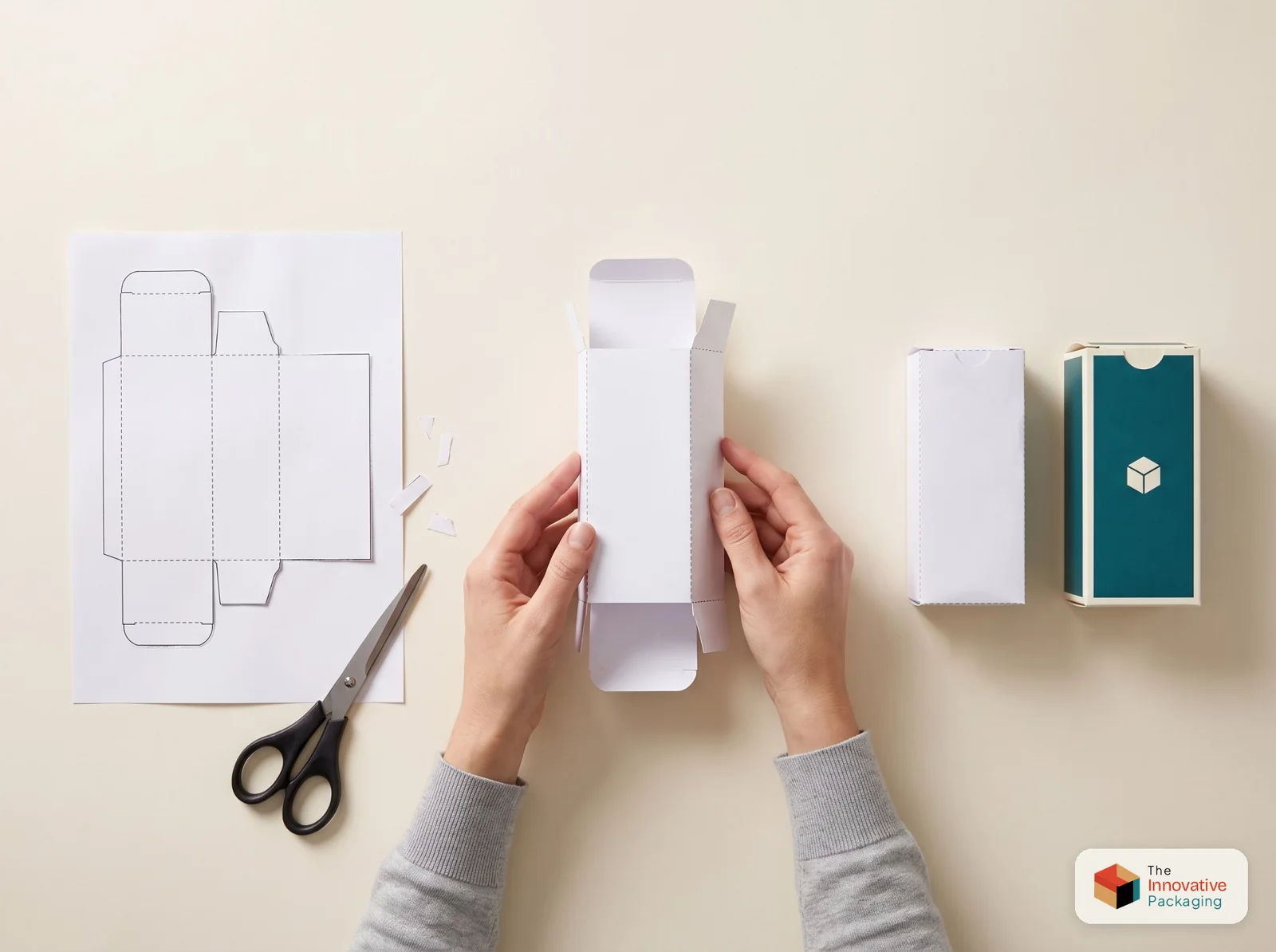
- Load the dieline into a 3D preview tool such as Pacdora or Esko Studio to see the folded box on screen.
- Print it on plain paper, cut it out by hand, and fold it. A paper mock-up takes a few minutes and catches structure problems while they are still cheap to fix.
When you order from The Innovative Packaging, you get a digital proof within 24 to 48 hours of placing your order, so you can check the dieline and artwork before anything is printed.
Types of Lines in a Dieline
Most first-time designers trip up here. The three main lines are the cut line, the fold line, and the bleed line. Each one has a different job, and mixing them up gives you a box that cuts where it should fold.
| Line type | How it looks | What it does |
|---|---|---|
| Cut line | Solid (red or magenta) | Sets the final shape of the box after die cutting |
| Fold line | Dashed (blue or green) | Shows where the box will bend |
| Bleed line | Outer boundary | Carries artwork past the cut edge |
| Safety margin | Inner boundary | Keeps content safe from trimming |
| Glue flap | Shaded or marked area | Shows where glue is applied |
| Perforation line | Dash-dot | Creates tear strips and easy-open features |
Common Dieline Mistakes to Avoid
Even experienced designers make these. Run through the list before you send a file to your manufacturer. If you are still choosing one, start with these questions to ask a packaging supplier.
- No bleed on the artwork: leaves white edges after cutting
- Text too close to fold lines: text gets hidden once the box is folded
- Working in pixels: Photoshop files cannot meet die-cutting tolerances, so use vectors only
- Wrong board thickness: if the dieline ignores the board thickness, panels will not meet flush
- Fonts not outlined: missing fonts cause pre-press errors, so outline or package your fonts before export
- Wrong file format: send a PDF/X-4 or a native .ai file unless your manufacturer asks for something else
Get a Dieline Made for Your Custom Boxes
Get the dieline right and the rest of the job gets easier. The box folds the way it should, the print reaches the edges, and there are no surprises when the first sheets come off the press.
At The Innovative Packaging, we create the dieline for every custom order at no extra cost, with orders from 100 units. Whether you need retail boxes, gift boxes, or packaging for your industry, our team handles the technical side so you do not have to. Request a free quote to get started.
Founder & CEO, The Innovative Packaging · 10 years experience
Ijlal Ahmed founded The Innovative Packaging and runs its production facility in Pakistan. He is the third generation of his family in printing and packaging, a business they have been in for more than 50 years, and works directly with brands on quotes and dielines. He holds a BSc in Economics from the Lahore School of Economics.
Ijlal Ahmed on LinkedInFrequently Asked Questions
Shop the packaging in this guide
Box by Style
We make custom packaging boxes in over 40 structural styles at The Innovative Packaging. Tuck end boxes, tray boxes, display boxes, specialty boxes, gift packaging. If there's a box style your product needs, we most likely make it. Every box ships fully custom printed to your exact dimensions and branding. Minimum order is 100 units per style, and design support is included at no extra cost.
Browse Box by Style →Box by Industry
Browse our full range of custom packaging boxes by industry at The Innovative Packaging. We produce premium custom printed boxes for cosmetic, food, retail, gift, and personal care brands across the USA. Every box is fully custom made to your exact dimensions, branding, and product requirements with a minimum order of 100 units and free design support included.
Browse Box by Industry →Custom Retail Boxes
Looking for high-quality custom retail packaging boxes wholesale that help your products stand out on shelves? At The Innovative Packaging, we produce fully custom retail boxes tailored to your brand identity, product dimensions, and retail environment. Whether you need packaging for cosmetics, food, paper bags, mailer boxes, or display packaging, we have a solution for every retail product in your lineup.
Browse Custom Retail Boxes →Custom Cosmetic Boxes
Looking for premium custom cosmetic boxes wholesale that make your beauty brand stand out? At The Innovative Packaging, we produce fully custom cosmetic packaging tailored to your exact product dimensions, branding, and retail requirements. Whether you need boxes for perfume, serum, lip gloss, hair products, essential oils, or face care kits, we have a packaging solution for every product in your beauty lineup.
Browse Custom Cosmetic Boxes →More from the blog
Matte vs Gloss: Which Lamination is Better for Packaging?
Matte lamination gives a soft, premium feel. Gloss adds shine and vibrancy. Here is how to choose the right lamination finish for your custom packaging.
Read more →How to Choose Custom Cosmetic Boxes for Your Brand
Learn how to choose custom cosmetic boxes that reflect your brand identity, protect your products, and create a memorable unboxing experience.
Read more →Gain More Profit With Window Cupcake Boxes
Window cupcake boxes let customers see your product before buying. Learn how the right bakery packaging can increase impulse purchases and strengthen your brand.
Read more →10 Questions to Ask a Custom Packaging Supplier Before You Order
Before you pay a custom packaging supplier, ask ten things: what they make, the minimum order, design help, finishes, materials, lead time, proofs, sustainability, quality checks and support. Here is what a good answer sounds like.
Read more →